TikTok LIVE Background Ideas That Make Viewers Stay
Your background is the first thing a scrolling viewer sees. Here are background ideas for every budget, and the mistakes that make people swipe away.
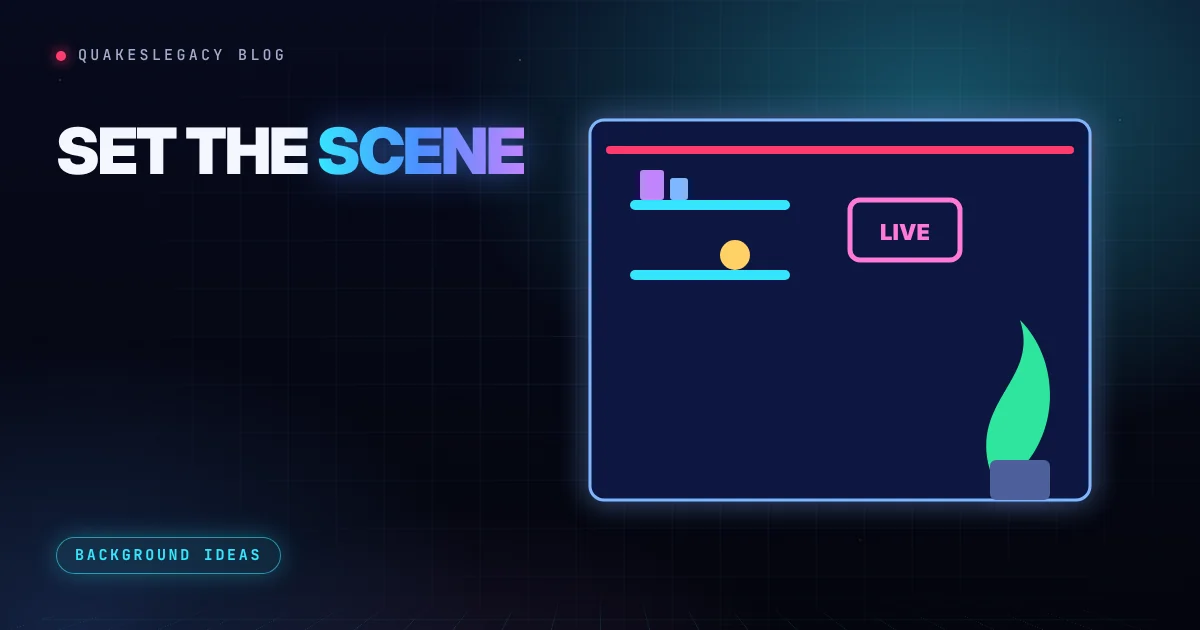
When someone scrolls onto your TikTok LIVE, they decide in a second or two whether to stay. Before they hear a word, they see you and what is behind you. A cluttered, dark or distracting background makes it easier to swipe away. A clean one with a bit of personality makes your stream look worth a moment.
You don't need a studio. Most of the best backgrounds on TikTok LIVE are a corner of a bedroom with a few deliberate choices. Here are ideas for every budget, and the mistakes to avoid.
What makes a background work
Every good LIVE background does four things:
- It is tidy. Mess pulls attention away from you.
- It has depth. A little distance between you and the wall looks better than sitting pressed against it.
- It has some colour or light. A plain dark wall looks flat on a phone screen.
- It fits the stream. A gaming setup, a cosy chat corner and a music room all tell viewers what to expect.
Free and low-cost background ideas
1. The tidy corner
Clear one corner of your room completely. Corners give natural depth, and a clear corner looks intentional. This alone is a big upgrade for most new streamers.
2. One plant, one lamp
A single plant and a warm lamp in the back of the shot add life and warmth for very little money.
3. A shelf with a few things you like
Books, small figures, a candle, a trophy. Keep it to a few items so it looks curated, not cluttered. Viewers often ask about the things they see, which gives you easy conversation.
4. Fairy lights or string lights
Out of focus, they create soft points of light behind you. They are cheap and work on almost any wall.
5. A hanging fabric or tapestry
A plain or patterned throw on the wall instantly hides a messy room. Choose something that isn't too busy, or it will compete with your face.
Mid-budget ideas
6. LED strip lights
The classic streamer look. Run an LED strip behind a desk, along a shelf or around a mirror and set it to one or two colours. Pick colours that suit your brand and keep them steady. Fast flashing lights look chaotic on camera and can bother some viewers.
7. A smart bulb in the background
A coloured smart bulb in a lamp behind you gives a soft wash of colour on the wall. You can change the colour for different stream themes.
8. Acoustic panels
Foam or fabric panels make a room look like a studio and also cut echo, which improves your sound. Our audio setup guide covers why that matters.
9. A neon sign
A small neon sign with your name, a word or a symbol becomes your visual signature. Make sure it isn't so bright that it washes out your face.
Themed backgrounds for your niche
10. Gaming
Your monitor, a controller on the desk and some coloured light behind. If you stream gameplay, your camera usually sits in a small window, so a simple background is fine.
11. Music
An instrument in shot says what the stream is about before you play a note. Keep cables tidy.
12. Beauty and fashion
A mirror with lights, a clothes rail or a vanity with your products. Lighting matters most here, so read our lighting setup guide too.
13. Cooking
A clean kitchen counter with a few ingredients ready. Wipe surfaces before you go LIVE.
14. Chat and "just chatting"
A cosy sofa or bed corner with cushions, warm light and a plant. Comfortable without looking messy.
Green screen and virtual backgrounds
15. Green screen
A green screen lets you put anything behind you. On a phone, TikTok's green screen effect can replace your background, but edges can flicker. If you stream from a computer, a physical green screen with even lighting and a keying filter in OBS or TikTok LIVE Studio looks much cleaner. Our OBS stream key guide explains how to stream to TikTok from OBS.
Only use images, videos and artwork you have the right to use.
Background mistakes to avoid
- A bright window behind you. Your camera exposes for the window and your face goes dark. Face the window instead.
- Personal information. Mail, documents, school or work badges, a view out of the window that shows where you live. Check the frame carefully.
- Other people. Don't show anyone who hasn't agreed to be on your LIVE. Minors appearing on camera can also cause problems under TikTok's rules.
- Logos and branded artwork. Large brand logos or copyrighted posters can be distracting and, in some cases, cause issues.
- Moving clutter. A TV playing behind you or people walking past pulls viewers' attention away.
- Anything that breaks the rules. Weapons, drugs or alcohol in shot can lead to a LIVE being restricted. Our guide to TikTok LIVE guidelines explains more.
Test it before you go LIVE
Open the LIVE preview and look at your background on the phone screen, not just in the room. Things look different on camera. Check that:
- Your face is the brightest, clearest thing in the frame.
- Nothing behind you is distracting or private.
- The colours look good, not washed out.
Then go LIVE and pay attention to what viewers say. If people keep asking about something in your background, it is working.
Want feedback on your setup?
At QuakesLegacy, our coaches help creators improve their stream setup, from background and lighting to content and growth. Apply to join QuakesLegacy to get support from an official TikTok LIVE partner agency.
Frequently asked questions
What is a good background for TikTok LIVE?
A good background is tidy, has some depth and colour, and fits what your stream is about. A clean wall with soft coloured lights, a shelf with a few personal items, or a themed corner for your niche all work well.
Can I use a green screen on TikTok LIVE?
Yes. TikTok has a green screen effect in the app, and if you stream from a computer you can use a physical green screen with software like OBS or TikTok LIVE Studio. A real green screen with even lighting gives a much cleaner result than the in-app effect.
What should I avoid in my TikTok LIVE background?
Avoid mess, bright windows behind you, anything with personal information such as mail or your address, other people who haven't agreed to be on camera, and logos or artwork you don't have the rights to show.