Step 4 · Accept your invite
Accept your agency invite
Once you're approved, we send your official invite through TikTok. Accepting it takes 8 quick taps, and then you're in.
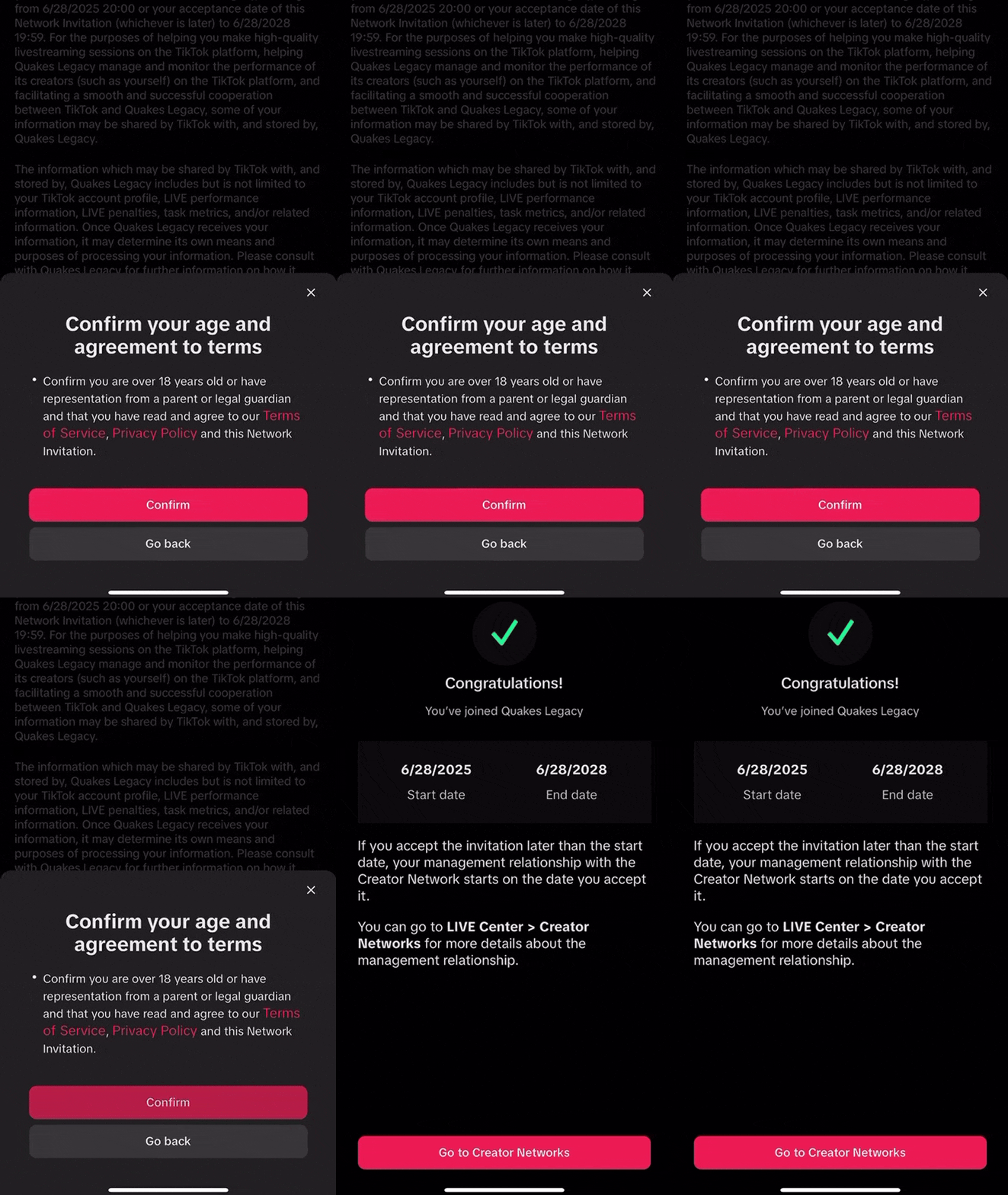
8Taps to join
You're almost in
- 01
Open the TikTok app
Launch TikTok on your phone and go to your profile.
- 02
Tap the ☰ menu icon
The menu is in the top right of your profile.
- 03
Tap TikTok Studio
Find and select 'TikTok Studio' from the menu.
- 04
Tap LIVE Center
Open the LIVE Center section in TikTok Studio.
- 05
Tap Join Creator Network
Select the 'Join Creator Network' option.
- 06
Tap How to Join
Tap the 'How to Join' button or link.
- 07
You'll see the agency invite
Your QuakesLegacy agency invitation is shown here.
- 08
Tap Accept
That's it. You're officially part of QuakesLegacy.
Congratulations!
Once you tap Accept, you're officially on the QuakesLegacy team and ready to start your TikTok LIVE journey.
!Invite not showing?
- Make sure your TikTok app is updated
- Make sure you're logged into the correct account
- Wait a few minutes after we send the invite
- DM us on Discord if it still doesn't show up
Not approved yet?
See the full process from application to your first LIVE, and what can slow it down.